> ## Documentation Index
> Fetch the complete documentation index at: https://docs.firebender.com/llms.txt
> Use this file to discover all available pages before exploring further.
# Debugging
> Fix bugs with runtime evidence instead of guesswork
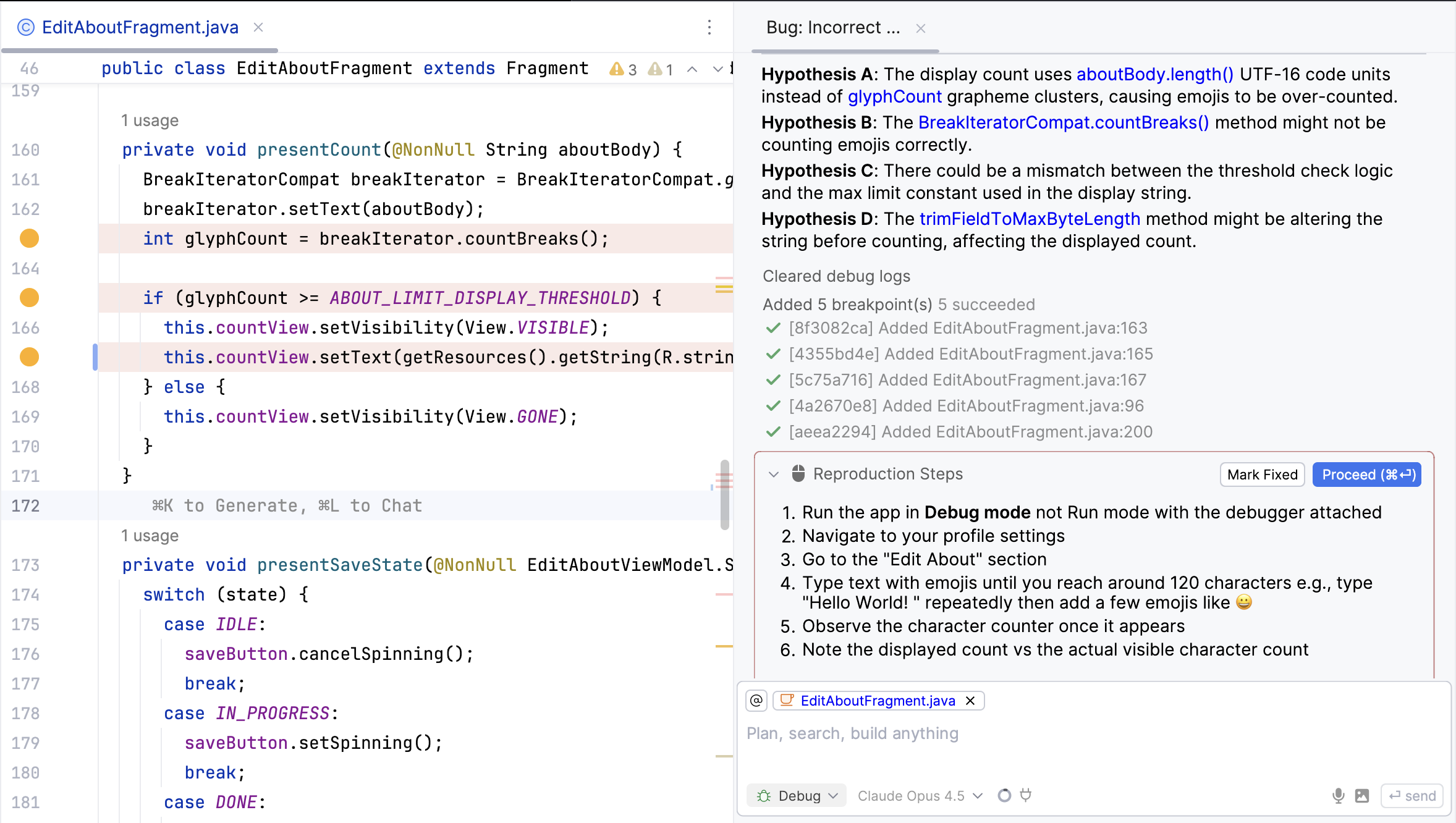
Debug Mode uses your IDE's debugger to capture what's actually happening when a bug occurs. The agent instruments your code with non-suspending breakpoints, you reproduce the issue, and it analyzes real execution data to find the root cause.
 ## When to Use
* Reproducible bugs you can trigger reliably
* Regressions where something stopped working
* Performance issues, dropped frames, memory leaks
* State bugs where values are wrong but code looks fine
## How to Use
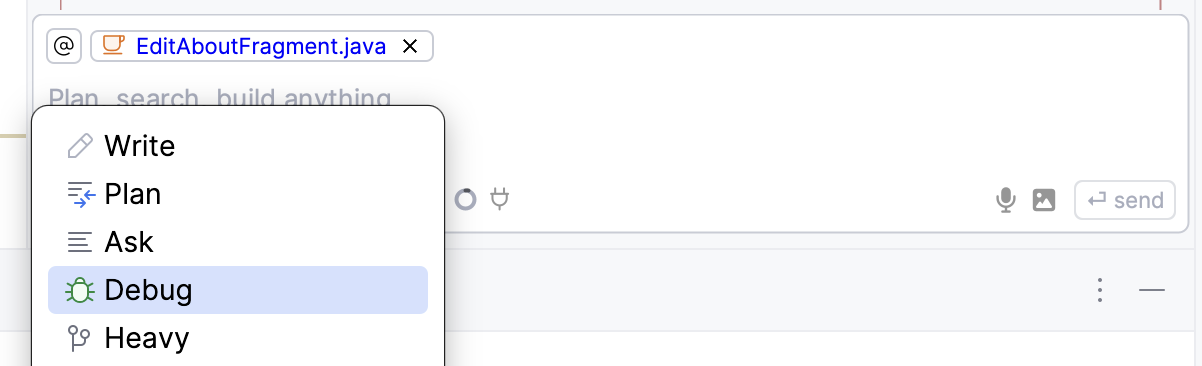
1. Select **Debug** from the mode dropdown
2. Describe what's wrong (be specific about expected vs actual behavior)
3. Run your app with the **debugger attached**
4. Follow the reproduction steps the agent gives you
5. Click **Proceed** or add more context via chat
6. Click **Mark Fixed** once verified
## When to Use
* Reproducible bugs you can trigger reliably
* Regressions where something stopped working
* Performance issues, dropped frames, memory leaks
* State bugs where values are wrong but code looks fine
## How to Use
1. Select **Debug** from the mode dropdown
2. Describe what's wrong (be specific about expected vs actual behavior)
3. Run your app with the **debugger attached**
4. Follow the reproduction steps the agent gives you
5. Click **Proceed** or add more context via chat
6. Click **Mark Fixed** once verified
 You don't have to use **Proceed**. If you notice something the agent missed, just type it in the chat.
***
## Print Logs Mode
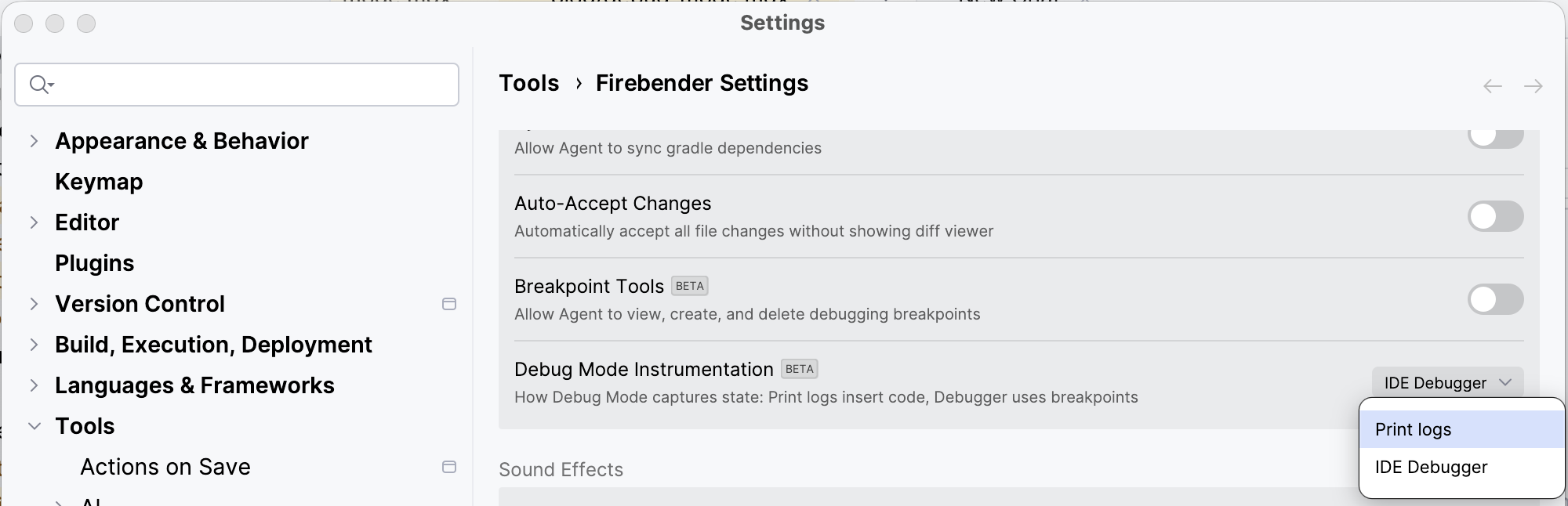
If you can't run with a debugger, switch to *Print Logs* mode in **Firebender Settings → Debug Mode Instrumentation**. This inserts actual logging code instead of using breakpoints.
You don't have to use **Proceed**. If you notice something the agent missed, just type it in the chat.
***
## Print Logs Mode
If you can't run with a debugger, switch to *Print Logs* mode in **Firebender Settings → Debug Mode Instrumentation**. This inserts actual logging code instead of using breakpoints.