

Type
/agent to create, update, and manage your agentsConfiguration
Agents are configured in yourfirebender.json file using the agents array:
Path Formats
Paths support multiple formats:- Relative paths:
.firebender/agents/my-agent.md(relative to project root for project config,~/.firebenderfor personal config) - Home directory:
~/my-agents/agent.md - Absolute paths:
/path/to/agent.md
Scope
Agent File Format
Each agent is defined in a Markdown file with YAML frontmatter:Configuration Fields
string
Display name of the agent. This appears in the mode picker and when the agent is invoked.
string
Description of the agent’s purpose and when it should be used. Shows in the mode picker.
string?
Color for the agent mode in hex, rgb, or named color format (e.g.,
"#FF5722", "rgb(255, 87, 34)", "red").string?
Absolute path to icon image file (svg or png format) to display for this agent.
string?
Comma-separated list of tool groups the agent can use. If not specified, all tools are included and no tools are filtered.You can specify:
- Tool groups:
read,edit,execution,other(see Tool Groups below) - MCP tools:
mcp_servername_toolname(see MCP Tools below)
string?
Model to use for this agent. You can specify either a size-based alias or a specific model ID.Size-based aliases (recommended):
small: Fast, lightweight model for simple tasks (most cost-effective)medium: Balanced performance and capability for most use caseslarge: Most capable model for complex reasoning and tasksinherit: Use the model selected in the model picker
claude-sonnet-4-5-20250929, gpt-5.2, or gemini-3-pro-preview, but size-based aliases are recommended as they automatically adapt when new models are released.If not specified, “default” model is picked.boolean?
Whether this agent can be invoked as a subagent by the main AI during conversations.
true: Agent appears in “Sub-agents” submenu and can be automatically called by the main agent for specialized tasksfalse(default): Agent only appears as a custom mode in the mode picker
callable: true for: Specialized agents (test writers, database experts, researchers) that should be automatically delegated to based on their description.Defaults to false if not specified.Tool Groups
Tool groups let you grant access to different categories of capabilities for your agents.The ability to trigger sub-agents is not in any tool group. Only the main agent can call sub-agents.
Using Tool Groups
MCP Tools
You can also include tools from MCP servers configured in yourfirebender.json. The format is:
Examples
Read-Only Code Reviewer
Test Writer Agent
Full-Featured Developer Agent
Database Query Agent (with MCP)
Live Reload
Agent configurations are automatically reloaded when you save changes to the agent markdown file. The updated configuration takes effect on your next message - no need to restart or create a new chat.
Usage
Creating Agents
Use the/agent slash command to create or update agents:
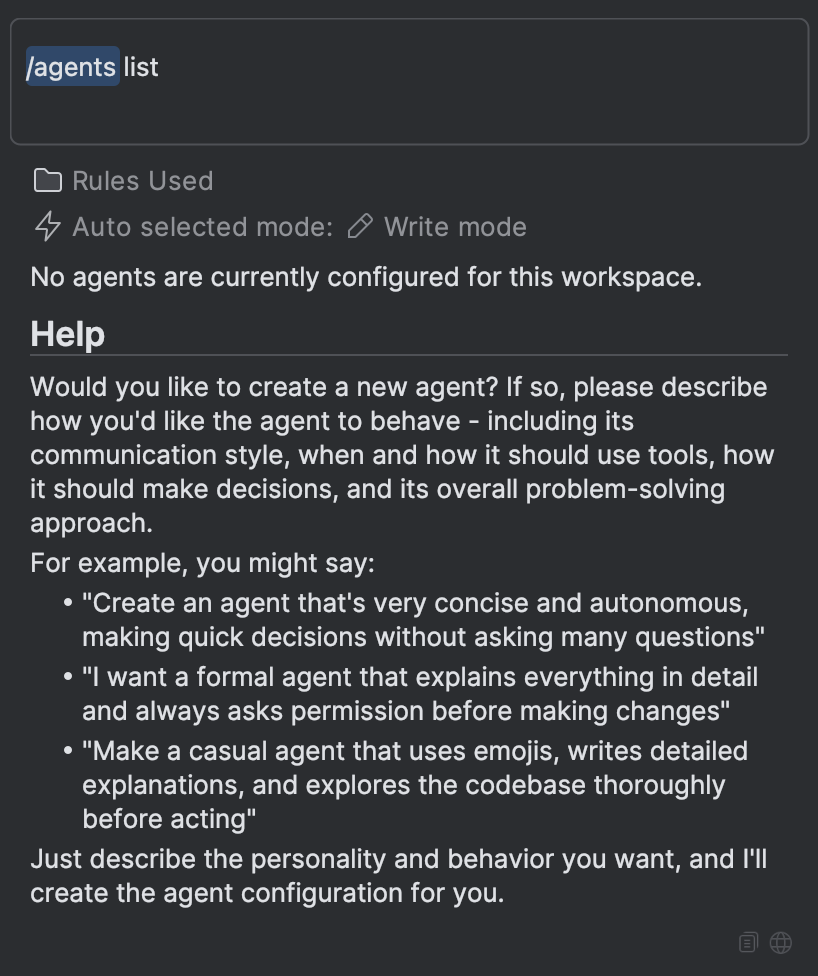
Using Agents
Agents can be used in two ways:- Mode Selection: Agents appear in the mode picker alongside built-in modes like Write, Plan, and Ask. Select an agent to activate it, and all your interactions will use that agent’s configuration.
- Automatic Delegation: The main agent can automatically delegate tasks to specialized agents based on their descriptions and expertise.
Sub-agents
Agents can function as sub-agents whencallable: true is set. When the main agent encounters a task that matches a callable agent’s expertise, it can delegate that task to the agent, which works independently and returns results.
How Sub-agents Work
When used as sub-agents through delegation:- Separate Context: Each delegated task runs in its own context window, separate from the main conversation
- Task-Focused: Sub-agents are invoked for specific tasks based on their
descriptionfield - Independent Execution: Sub-agents work autonomously using their configured tools and system prompt
- Result Integration: Results are returned to the main agent and integrated into the conversation
Delegation vs. Mode Selection
The same agent configuration can be used in both ways:Configuration for Delegation
Thedescription field is particularly important for delegation, as it helps the main agent determine when to invoke the sub-agent:
Related Documentation
- MCP Configuration - Extend agents with Model Context Protocol tools
- Subagents - Delegate specialized work to focused agents
- Commands - Custom AI commands for your workflow