

Step 1: Open plugin settings
Click the gear icon in the top right and select Plugins.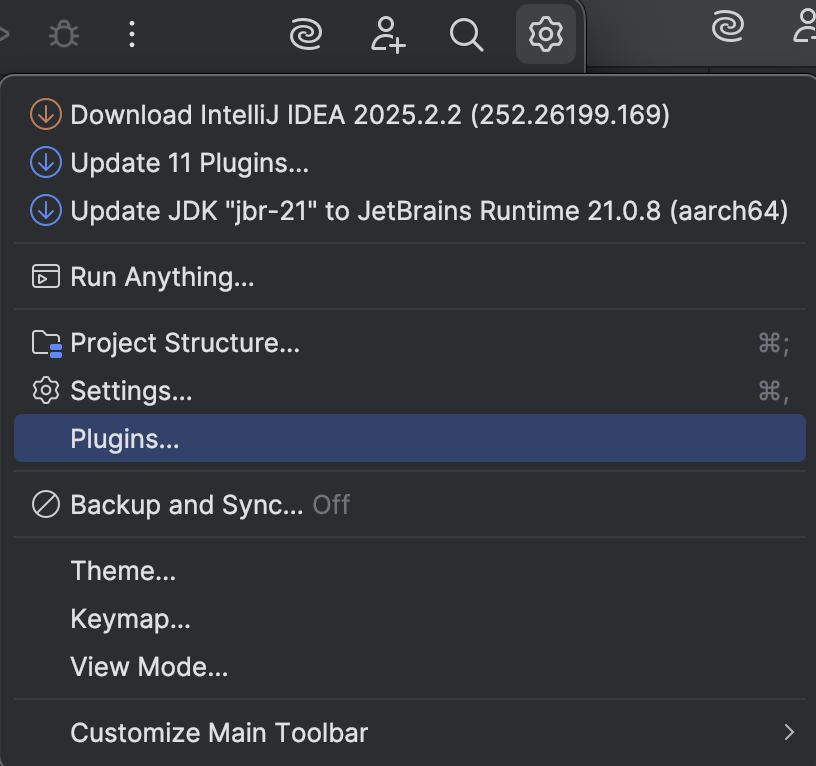
Step 2: Install plugin from disk
In the Plugins window, click the gear icon in the top right and select Install Plugin from Disk…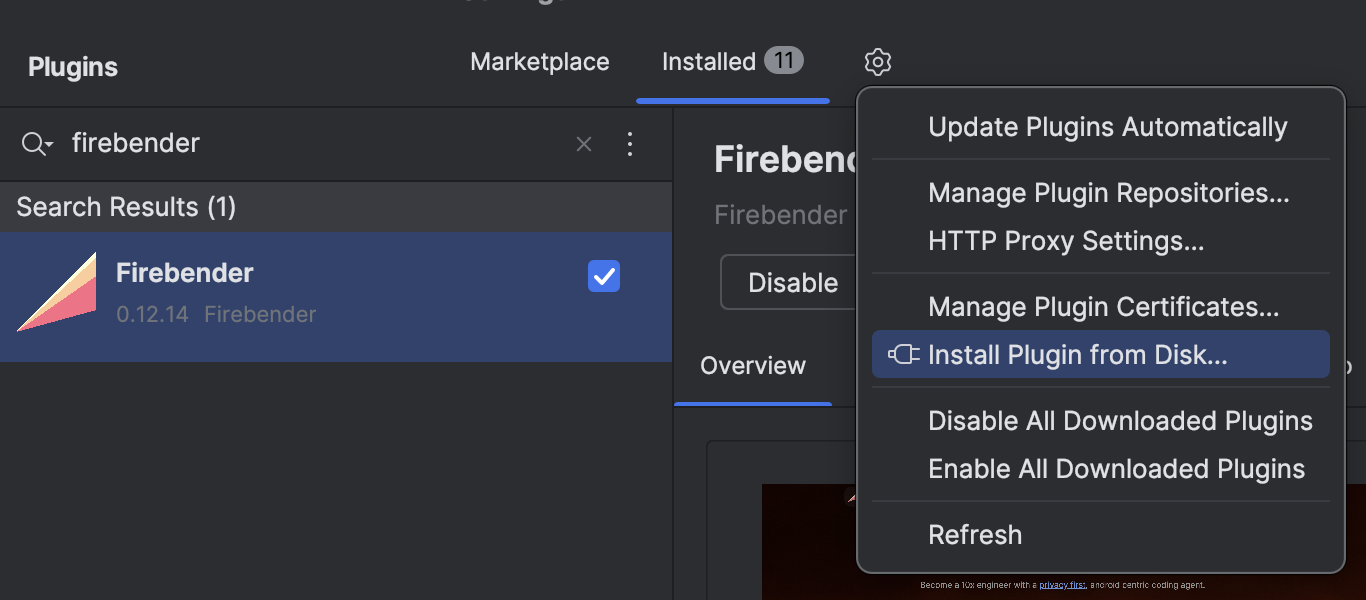
Step 3: Select the build file
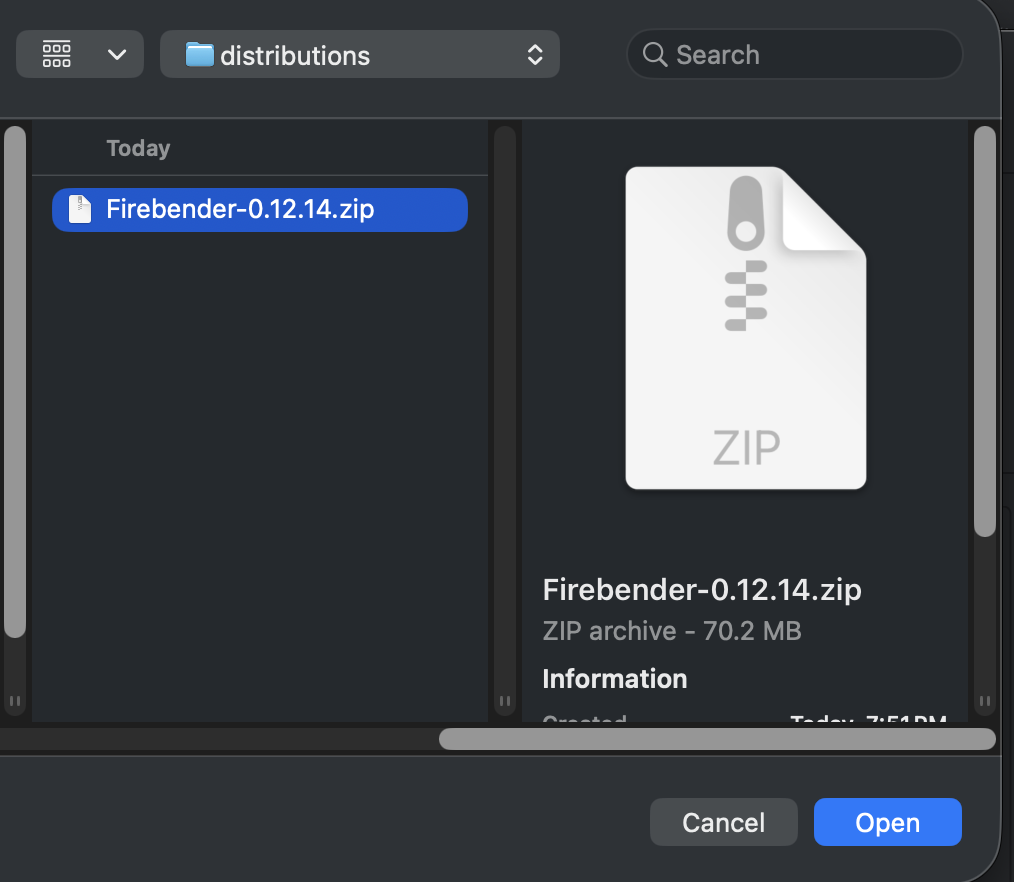
Select the Firebender.zip file you were provided.
Step 4: Finish
Click OK to complete the install.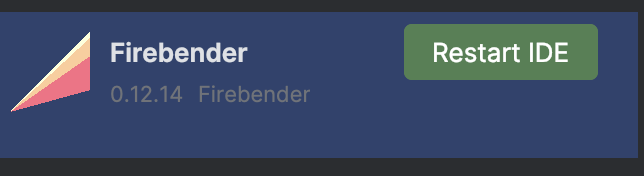
If the issue persists, reach out to the Firebender member who shared the build, email help@firebender.com, or contact us via your Slack channel.